
What Is the LG Washing Machine IE Error?
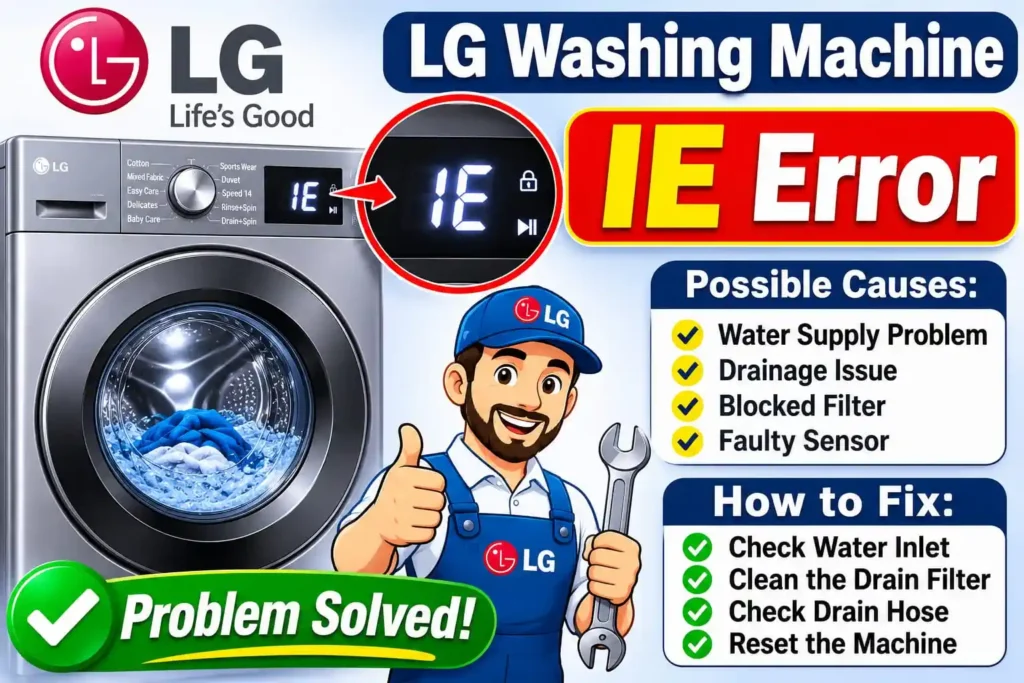
IE stands for Inlet Error. It means water is not coming into the machine or it’s coming in too slowly.
Your LG washer expects to fill up within a set time. If the water level doesn’t rise in about 8 to 10 minutes the machine stops and shows IE. So the LG washing machine IE error is all about the water going in. It’s the opposite of OE which is about water going out.
What Should You Check First When IE Shows Up?
Start with the tap behind the machine. It sounds too simple but it happens a lot. Someone turns it off for cleaning or a plumber closes it during work and nobody opens it again.
Turn the tap fully open. Then open any other tap in the house. If no water comes out anywhere the problem is your home water supply. Wait for it to come back and then restart the wash.
Can a Bent Inlet Hose Cause the IE Error?
Yes. The inlet hose is the thinner hose that brings water from the tap to the back of the washer. If you pushed the machine back against the wall the hose may be squeezed or folded.
Pull the washer forward a little and look at the full length of the hose. Straighten any sharp bend. If the hose looks flat in one spot or has cracks replace it. A new inlet hose is cheap and easy to fit by hand.
How Do You Clean the Inlet Filter Screen?
This is the fix most people don’t know about. Where the hose connects to the back of the washer there’s a small mesh screen. Its job is to stop sand and dirt from getting into the machine. Over time it gets blocked.
Close the tap. Unscrew the hose from the machine. Keep a small towel ready for a little water. Use long nose pliers to gently pull the screen out. Rinse it under running water and brush it with an old toothbrush. Push it back in and reconnect the hose.
In cities with hard water and sandy tank water this screen clogs much faster. White crusty buildup on the mesh is a sign of hard water. Soak it in white vinegar for 20 minutes to dissolve it. washing machine care in hard water areas explains why this happens.
Does Low Water Pressure Trigger IE?
Very often. Many homes get water from a roof tank. If the tank is low or the booster pump is weak the pressure drops. The washer fills too slowly and shows IE even though some water is coming in.
Here’s an easy test. Take the hose off the machine and put the end in a bucket. Open the tap. A healthy supply fills about 10 liters in under a minute. If it takes much longer the issue is pressure. Check the tank level or the pump before you blame the washer.
Why Does IE Show Up Only Sometimes?
If the error comes and goes it’s usually about timing. Maybe the shower or kitchen tap is running at the same time and stealing pressure. Or the tank pump only kicks in after a delay.
Try running the washer when no one else is using water. If IE stops appearing you’ve found the reason. A partly blocked screen can also cause this on-and-off pattern so clean it anyway.
How Do You Know If the Water Inlet Valve Is Bad?
The inlet valve is an electric gate inside the machine. When the washer wants water it sends power to the valve and the valve opens. If the valve fails nothing gets through even with perfect pressure.
Start a wash and put your ear near the back top of the machine. You should hear a soft click and then water flowing. A click with no water means the valve is stuck. No click at all means the valve coil is dead or it’s not getting power. A technician can test the coil with a multimeter and swap the valve if needed. IE comes from this valve in a good number of older machines.
Why Does a New LG Washer Show IE on the First Wash?
Most of the time it’s the installation. The tap was never opened. Or the hose was connected to the wrong tap that has no supply. Sometimes the shipping parts or packing tape are still in the way.
Also check that the hose washer (the small rubber ring inside the hose nut) is sitting flat. If it’s twisted water leaks at the joint and less reaches the machine. Fix these and the IE error on a new unit usually goes away right away.
What Is the Difference Between IE, OE and PE?
These three get mixed up a lot. IE is water in. OE is water out. If your machine won’t drain read our guide on the LG OE error instead.
PE means the water level sensor (pressure switch) is giving wrong readings. Sometimes a bad sensor makes the machine think it’s not filling when it actually is. If you see water entering but still get IE the sensor or its small air tube could be the real problem.
Can Hot and Cold Taps Cause Problems?
Some LG models have two inlets. One for cold water and one for hot. If only one is connected and you pick a warm or hot program the machine may wait for water from the empty side.
Check the back of your washer. If you see two inlets and only one hose either connect both or use cold wash programs only. Most LG models sold in hot regions have one cold inlet and heat the water inside so this mostly applies to imported units.
How Do You Reset the Washer After Fixing IE?
Turn the machine off. Unplug it for 5 minutes. Plug it back in and turn it on. Pick a Rinse and Spin cycle as a quick test. Watch the drum. You should see water entering within a minute.
If the drum fills normally you’re done. If IE returns go back over the checklist. Something small like a half-closed tap or a dirty screen is usually what got missed. LG door error codes need a different reset so don’t confuse the two.
How Can You Stop the IE Error From Coming Back?
Clean the inlet screen every 3 months. Do it every month if your water has a lot of sand. Keep the washer a few centimeters away from the wall so the hose has room.
Get the roof tank cleaned once or twice a year. Dirt from the tank is what blocks the screen in the first place. If you’re unsure about other water and power faults this guide on water and electrical washer problems covers more of them.
When Do You Need a Technician for the IE Error?
You can handle the tap, the hose, the screen and the pressure test on your own. That covers most cases of the LG washing machine IE error.
Call a technician if the inlet valve doesn’t click or clicks with no water. Also call one if water clearly enters but IE still shows because that points to the pressure sensor or the control board. These need proper testing tools. If other codes show up too check common washing machine faults to see what else could be going on. Now you know what the LG washing machine IE error means and how to work through it step by step.
Author


I am Mohammad Nabeel, a professional home appliance repair technician and service content writer. I have years of hands-on experience repairing washing machines, refrigerators, air conditioners, and other household appliances. I write based on real field work, not theory, so homeowners can easily understand common problems and smart repair solutions. My goal is to explain technical issues in simple language and help people make the right decision at the right time. I focus on practical advice, preventive maintenance, and cost-effective repairs that keep home appliances running safely and efficiently.